Photo to Line Art Converter: How AI Does It (And Why It Beats Filters)
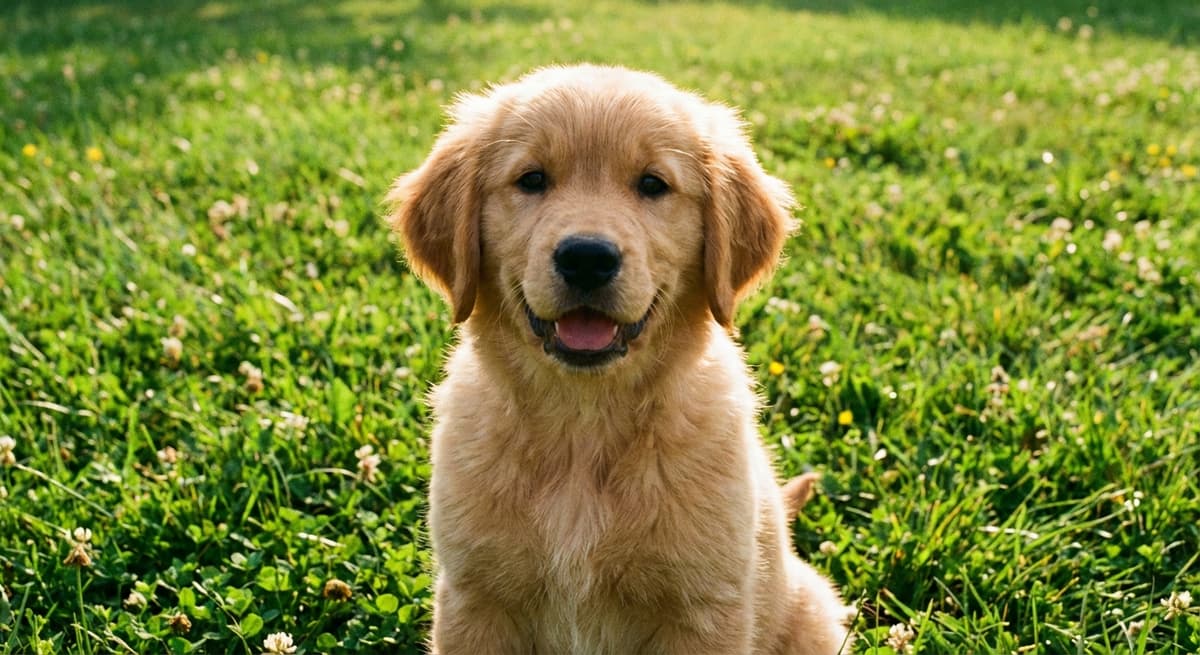
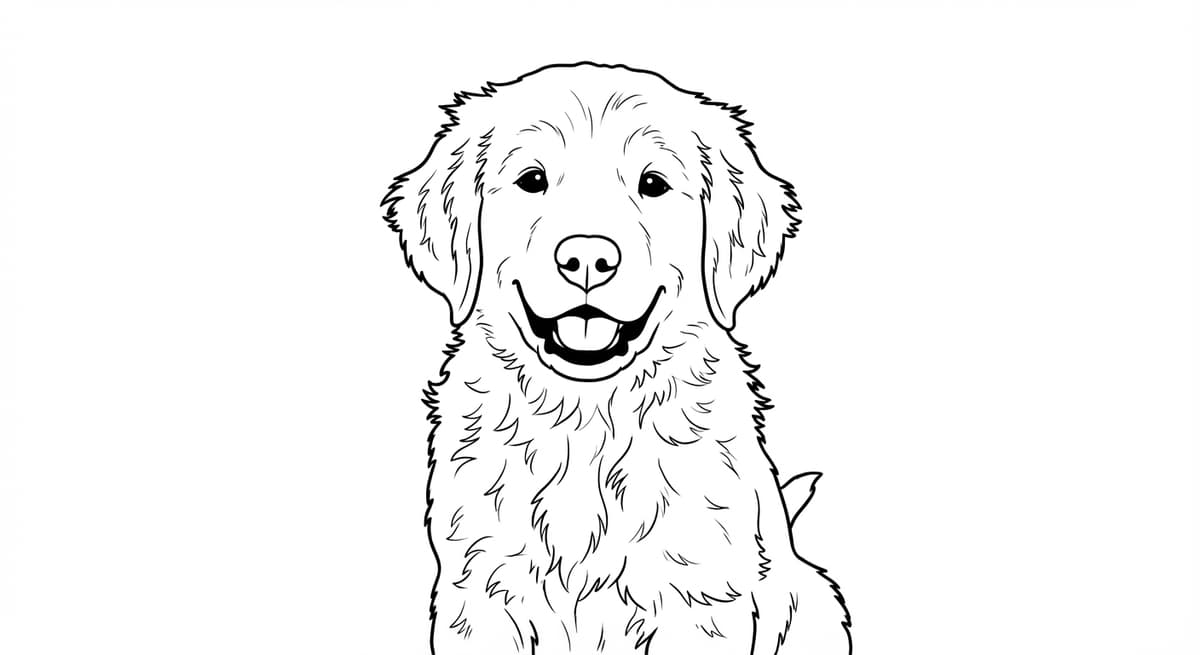
“Photo to line art converter” is one of the most searched phrases in digital art tools - but the results people find vary enormously in quality. A Photoshop filter and an AI model both turn a photo into lines, but the output is completely different. This article explains exactly what line art conversion means, how AI approaches it, and what you can do with clean line art beyond coloring pages.
What Line Art Conversion Actually Means
Converting a photo to line art means reducing a color image to a set of black strokes on a white background that outline the meaningful shapes in the original. The goal is not simply to detect all edges - it is to produce lines that a human would draw if they were illustrating the subject by hand.
This distinction matters. A photo contains thousands of edges - the boundary between a face and the background, but also every pore, shadow, texture variation, and compression artifact. A raw edge-detection pass captures all of them. Clean line art captures only the structurally meaningful ones: contours, major features, boundaries between distinct objects.
Filter Methods: Edge Detection
Traditional filter-based converters use edge detection algorithms. The most common are:
- Canny edge detector. Detects intensity gradients across the image. Produces thin, sharp lines but captures noise, texture, and shadow boundaries equally with structural outlines.
- Photoshop's Find Edges / Glowing Edges. Convolution-based filters that highlight contrast boundaries. Fast and non-destructive but output is notoriously noisy on photographs, especially portraits.
- Posterization + threshold. Reduces the image to flat color areas first, then extracts edges. Cleaner than raw edge detection but loses detail and produces blocky, artificial-looking outlines.
The core limitation: none of these methods understand what they are looking at. They operate on pixel intensity values, not on the concept of “face” or “dog.” The result requires significant manual cleanup to be usable.
Why AI Preserves Identity
AI-based line art models are trained on large datasets of (photograph, line art) pairs. The model learns to map from the visual structure of a photograph to the lines a skilled illustrator would draw for that same subject.
This training gives the model object-level understanding. It knows that a face has two eyes, a nose, and a mouth, and it draws lines at those features - not at every shadow and skin texture variation. A ControlNet Lineart model applied to a photo of a golden retriever draws the ear shape, the fur direction, the muzzle structure, and the body outline. It ignores individual hairs, carpet texture behind the subject, and lighting gradients.
- No manual cleanup required. The output is print-ready. Filter output needs cleanup in Photoshop or Illustrator.
- Subject identity is preserved. The face in the line art looks like the face in the photo. Filter output often loses recognizable features.
- Consistent line weight. AI models produce strokes of consistent thickness, similar to an ink illustration. Filters produce lines of varying width based on local contrast.
Use Cases Beyond Coloring Pages
Clean line art from a photo has applications well beyond coloring pages:
- Tattoo reference. A clean line drawing of a pet, portrait, or signature object is the standard format tattoo artists use to design a custom tattoo. Converting a photo directly gives the artist an accurate starting point with the correct proportions and pose.
- Illustration reference. Artists and illustrators use line art as a structural starting point for digital or traditional illustration. The line art establishes proportions and contours; the artist adds their own style, color, and rendering on top.
- Minimalist print. Clean line art of a portrait, pet, or landmark looks striking in a simple black frame. The graphic quality of well-executed line art is a design aesthetic in itself — it does not need to be colored.
- Embroidery and craft pattern. Line art is directly usable as an embroidery pattern by tracing the printed lines onto fabric. Pet portraits and portraits of people are popular subjects for this use.
- Custom sticker and stamp base. The clean closed shapes in AI line art are suitable for vinyl cutting, rubber stamp carving, and screen printing preparation.
Frequently Asked Questions
What is a photo to line art converter?
A tool that takes a photograph and produces a black-and-white line drawing that outlines the meaningful shapes in the original. Filter-based converters use edge detection algorithms. AI-based converters use trained models that understand object structure, producing cleaner lines that look like hand illustration.
Can I use AI line art as a tattoo reference?
Yes. Clean line art from a photo is widely used as a tattoo reference. The AI preserves the pose and identity of the subject, giving the tattoo artist an accurate structural starting point. Discuss line weight and preferred detail level with your artist before printing.
Are there free photo to line art converters?
Yes. Photoshop filters, GIMP, and various online tools offer free conversion using edge detection. Quality is lower - the output is noisier and requires manual cleanup. ChromaPrint AI provides a free watermarked preview so you can compare AI quality before purchasing.
What makes AI line art better than Photoshop filters?
Photoshop filters detect all contrast boundaries - including noise, texture, and shadows - indiscriminately. AI models understand object structure and draw lines where a human illustrator would: at contours and feature boundaries, not inside every texture variation. The AI output is print-ready with no manual cleanup.
Convert your photo to clean line art
Free watermarked preview in 30 seconds. See the quality difference for yourself before using any credits.
Try the AI line art converter →