Pet Coloring Pages From Your Own Photos
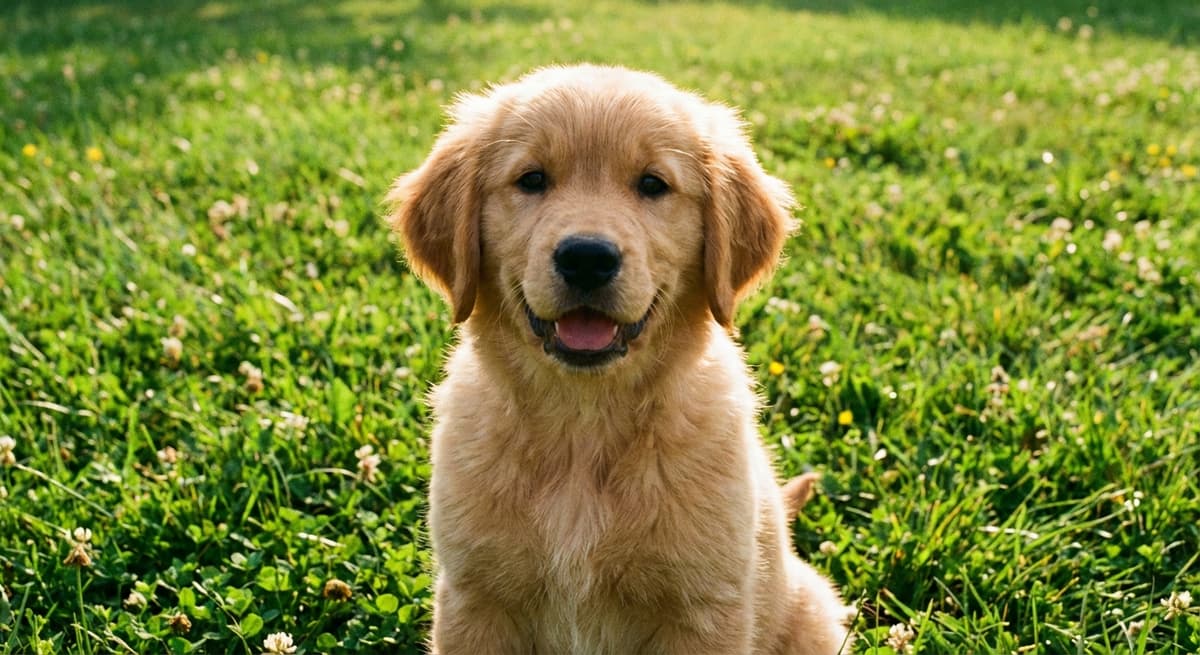
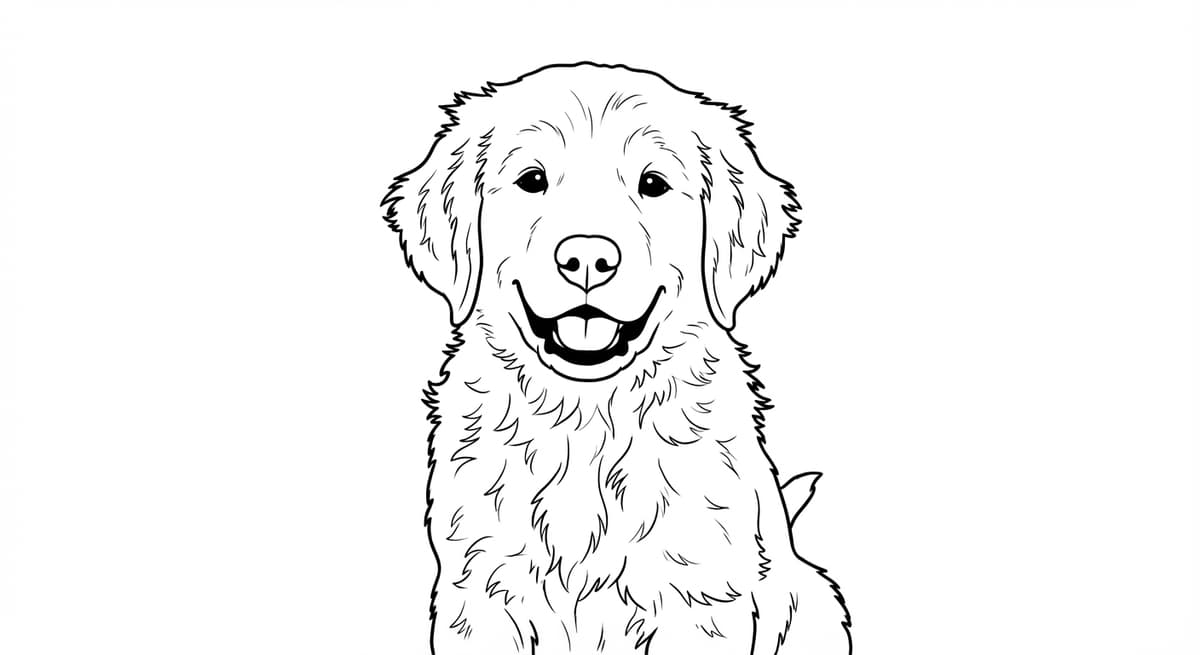
A pet coloring page is personal because it begins with your animal, not a generic drawing of the breed. The tilt of the ears, markings around the eyes, favorite sleeping pose, and familiar collar can all make the page recognizable. Getting a clean result starts with choosing the right photo.
Start with a photo that shows personality clearly
Choose an image that is sharp, evenly lit, and close enough to show the face. Window light or open shade outdoors is often easier than a dark room or direct flash. Try to keep both eyes visible for a front-facing portrait, though a clean side profile can work well too.
The pet should fill a good part of the frame, but do not crop off distinctive features by accident. Keep the tips of long ears, a curled tail, paws, and whiskers inside the image if they matter to the pose. Avoid screenshots that have already been compressed several times.
Match the background to the page you want
A plain floor, sofa, wall, or patch of grass usually produces an easy page for children. A detailed garden, patterned blanket, or room full of furniture creates more sections and may suit an older colorist. Neither approach is always better. Decide whether you want a portrait or a full scene.
Contrast matters. A black cat on a dark chair or a cream dog on a pale rug can lose a clear outer edge. If possible, choose a photo where the coat stands apart from the background. Cropping away clutter also gives the pet more visual weight.
How coat type changes the line art
Short coats tend to create smooth, simple outlines. Long or curly coats create more texture and irregular edges. Markings such as spots, patches, stripes, and facial masks can help preserve the animal's identity, but a low-light photo may turn subtle markings into muddy shapes.
For fluffy pets, prioritize a clear silhouette and visible eyes over individual strands of fur. For birds, make sure the beak and eye are sharp. For horses, use enough space to show the head, mane, and posture. Small animals benefit from a close photo taken at their eye level rather than from above.
Turn the photo into a pet coloring page
Upload the chosen image to ChromaPrint and generate the line art. Generation usually takes about 15 to 30 seconds. Review the pet's eyes, nose, mouth, paws, coat boundary, and any collar or tag. Then check whether background lines compete with the face.
If the first photo is too dark or crowded, try another from the same set. A slightly different angle can create a cleaner outline. ChromaPrint includes 3 free pages, so you can compare a few options before choosing your favorite.
Print for the coloring tools you plan to use
Regular white paper works for crayons and colored pencils. Use thicker paper for markers and place a spare sheet behind the page. For a framed result, print a test first and confirm that the composition fits the frame opening. Keep important details away from the edge if you plan to add a mat.
A black-and-white page is also useful as the first sheet in a gift set. Pair it with a small pencil pack, write the pet's name on the folder, and include the original photo for reference if the recipient wants to match coat colors.
Ideas beyond a single page
- A mini coloring book: combine a portrait, a sleeping pose, a favorite walk, and a photo with the family.
- A child's activity: use a simple close-up with large areas for younger children.
- A pet-owner gift: print the page on thicker paper and add colored pencils.
- A memory collection: make one page each year using a favorite recent photo.
For a quick photo checklist and creation flow, visit Pet Coloring Pages From Your Photos. Paid packs range from 10 credits for $5 to 500 credits for $100, and credits never expire. The pricing page lists the current options.
A simple final checklist
Before you print, ask four questions: Is the pet immediately recognizable? Are the eyes and face clear? Are there open spaces that suit the intended colorist? Does the background add context rather than noise? If the answer to any of these is no, a better source photo is usually the most effective fix.
Photographing a pet that will not sit still
Do not force a long pose. Move near a bright window or go outside in open shade, then take several photos in a short burst while the pet watches a toy or treat held near the camera. Get down to the animal's eye level. This gives the face more presence and avoids the oversized-head effect of shooting steeply from above.
For dark-coated pets, expose for the face so the eyes and muzzle remain visible. For white pets, avoid harsh sun that removes soft coat detail. A helper can attract the animal's attention while you keep the camera steady. Review the images at full size before choosing one; the sharpest frame is often not the first.
Using someone else's pet photo
If the page is a gift, ask for a high-quality original rather than copying a small social-media image. Make sure you have permission to use the photo. Keep the project private until the gift is delivered if the surprise matters, and avoid posting a pet owner's home or location details that may be visible in the background.
Make a coloring page of your pet
Start with 3 free pages and compare your favorite photos.
Create a pet coloring page