Personalized Coloring Pages for Kids: Turn Family Photos into Printable Art

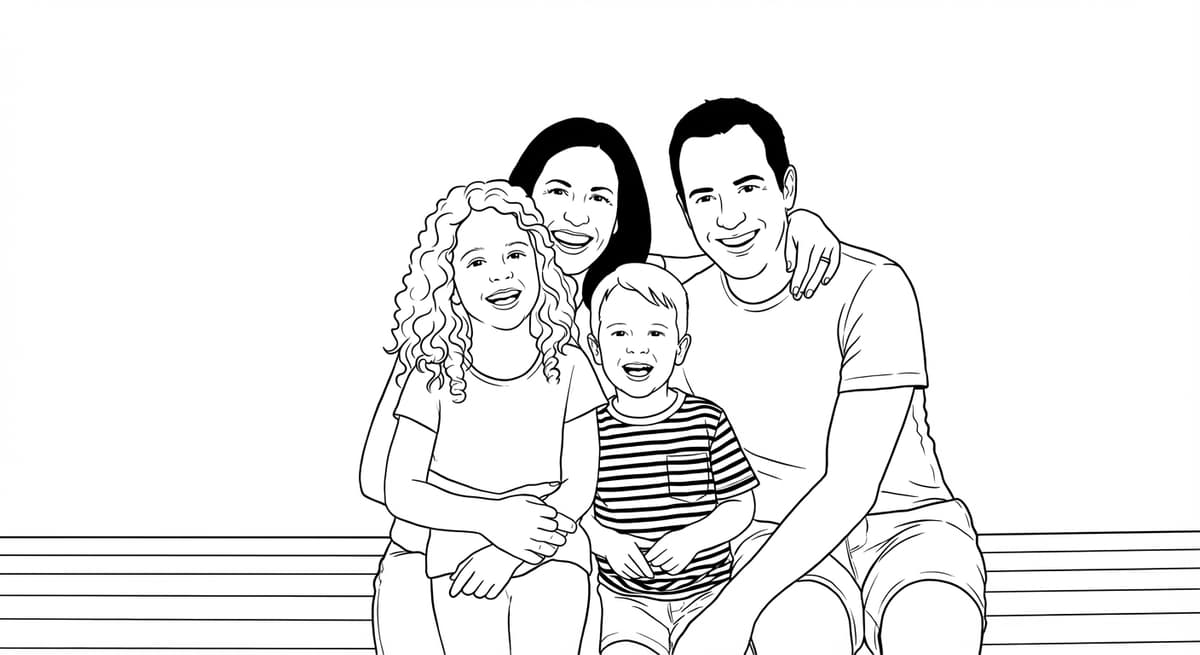
A personalized coloring page - made from a real photo of your child, pet, or family - is the most engaging coloring activity a child can have. There's a simple reason: they're coloring someone they know. The emotional connection makes the activity last far longer than any generic coloring book.
Why Personalized Beats Generic
Generic coloring books have their place, but personalized coloring pages have advantages that store-bought books simply cannot match:
- Sustained engagement. Children color significantly longer when the subject is someone familiar - a sibling, grandparent, or their own pet.
- Emotional connection. Coloring grandma, their dog, or their own birthday party photo is meaningful in a way a cartoon character never is.
- No two are the same. Every personalized coloring page is unique. It's a one-of-a-kind activity.
- Gift-worthy. A stack of personalized coloring pages is a thoughtful, inexpensive gift that grandparents and teachers genuinely appreciate.
Best Photos to Use
Not every photo makes an equally good coloring page. These types of shots consistently produce the cleanest results:
- Birthday party shots - candid or posed, these capture personality.
- Sports photos - in uniform, in action. Kids love coloring themselves playing their sport.
- Holiday family photos - the whole family in one coloring page makes a wonderful keepsake.
- Pets - cats and dogs work especially well. Their faces have strong contrast that produces clean outlines.
- “First day of school” portraits - a tradition that becomes even more special as a coloring page to send to relatives.
How to Make One (Step by Step)
Creating a personalized coloring page from a family photo takes under two minutes:
- 1Go to ChromaPrint AI and sign in. Free account - no credit card needed.
- 2Upload your family photo. JPEG, PNG, or WebP up to 20MB. Any recent phone photo works.
- 3Choose your style. Simpler style for young children (ages 3–6), more detail for older kids and adults.
- 4Click Transform Photo. Generation takes 15–30 seconds. The AI preserves the subject's face and pose.
- 5Preview and download. Free watermarked preview. Download the print-quality 300 DPI version for 1 credit.
Printing Tips
The paper you print on matters almost as much as the design itself:
- Paper weight. Use 80lb (120gsm) cardstock minimum. Lighter paper bleeds with markers and warps with watercolors.
- Finish. Matte finish is strongly recommended. Crayons, colored pencils, and markers all perform better on matte - they slip on glossy paper.
- Size. Print actual size (A4 or US Letter). Do not scale to fit - ChromaPrint optimizes line weight for the intended print size.
- Quantity. Once downloaded, you can print any number of copies. Print 10–20 for a party, or just 1 for a gift.
Ideas for Using Personalized Coloring Pages
- Birthday party favor. Print 10–20 copies of the birthday child's photo. Each guest takes home a unique activity they can color and keep.
- Holiday activity. A family photo coloring page keeps children occupied during holiday gatherings — and the finished result is a keepsake.
- Classroom activity. Teachers can create coloring pages from class photos for end-of-year activities.
- Gift for grandparents. A coloring book made from grandchildren's photos is a gift that no store sells.
- Rainy day activity. Keep a stack of personalized pages ready for when you need a screen-free indoor activity fast.
Frequently Asked Questions
How do I make a coloring page of my child?
Upload a clear photo of your child to ChromaPrint AI. The AI preserves their face and pose while converting to clean black line art. The process takes under 60 seconds.
Are personalized coloring pages safe to share?
Yes. ChromaPrint stores your photos securely and only you have access to your creations. Photos are not used to train AI models.
Can I print multiple copies of a personalized coloring page?
Yes. Once downloaded, you own the file and can print as many copies as you need — at home, at a print shop, or at a library.
What paper should I use for coloring pages?
Use 80lb (120gsm) cardstock for the best coloring experience. Matte finish is recommended - crayons and markers can slip on glossy paper.
Make a coloring page of your child
Upload a photo and get a free watermarked preview in 30 seconds.
Make a coloring page of your child →