Personalized Coloring Pages for the Classroom: A Teacher's Guide
Quick Answer
Coloring activities in the classroom support fine motor development, focus, and creative expression across all K–8 grade levels. Personalized coloring pages - featuring students themselves or shared class experiences - increase engagement compared to generic sheets, and can be printed for as little as $0.03–$0.10 per student on a school laser printer. Always verify parental photo consent before using student images.
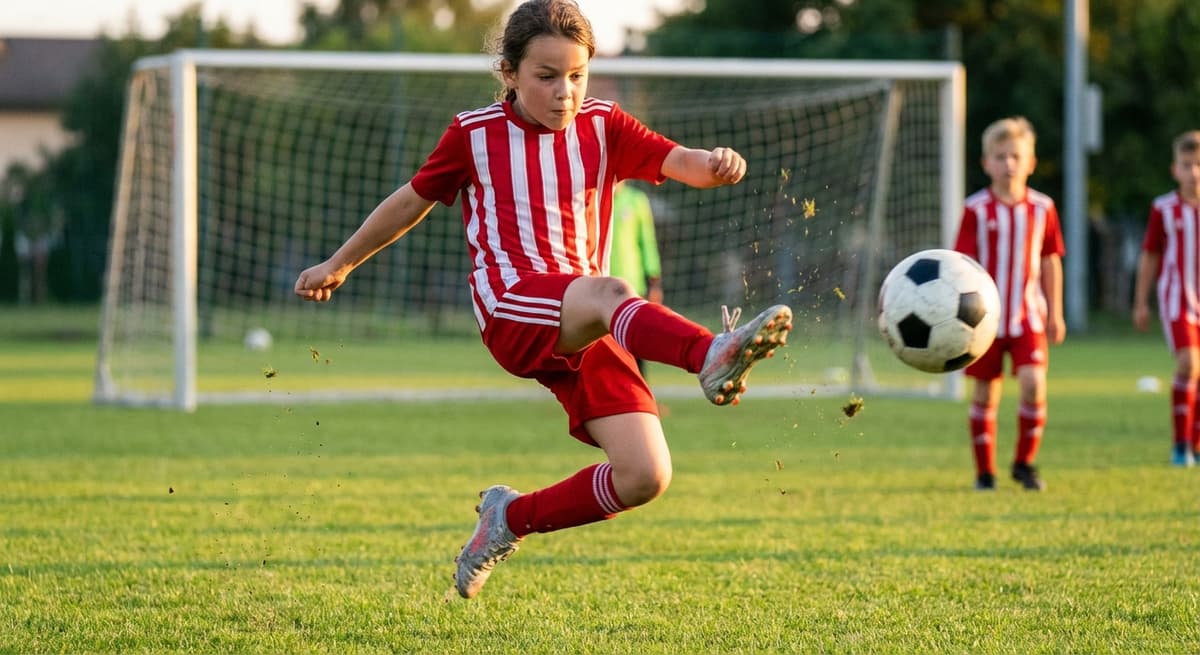
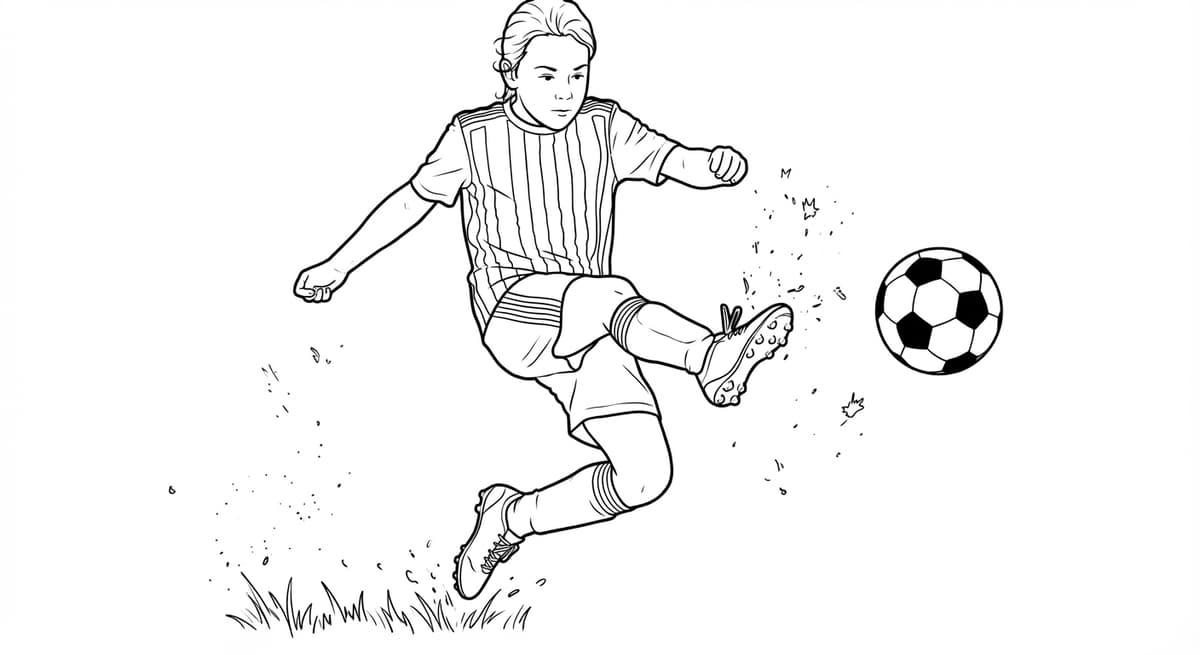
Research consistently supports coloring as a meaningful classroom tool. A 2019 review published in Frontiers in Psychology found that art-based activities including coloring support fine motor development and self-regulation in early childhood. Studies on fine motor skills from Zero to Three note that pencil-grip activities are directly linked to writing readiness. A personalized coloring page - featuring the students themselves, their class, or a shared school experience - turns a standard coloring activity into a memorable keepsake and raises engagement significantly.
This guide covers the best use cases for classroom coloring pages, practical printing details, how to match complexity to age, cost estimates, and photo consent requirements.
Use Cases: When Personalized Coloring Pages Make Sense in the Classroom
End-of-year activity
A coloring page of the class group photo is one of the most popular end-of-year activities in K–5 classrooms. Every student receives a copy of the class photo in line art form. Students color it, sign each other's copies (like a yearbook), and take it home as a memento. The activity takes 20–40 minutes and requires only crayons or colored pencils.
Field trip memory page
After a field trip, convert a group photo taken during the trip into a coloring page. Distribute it the following day as a follow-up activity. Students color the scene while discussing what they observed - connecting the coloring activity to verbal or written recall reinforces the learning experience. This connects to arts integration practices documented by Edutopia, which find that creative recall activities strengthen memory consolidation.
Sports team or performance photo
A photo from a sports day, drama performance, or school concert converts well into a coloring page. The students recognize themselves and their classmates in the scene, which increases engagement compared to a generic coloring sheet.
Individual portrait as a self-portrait activity
For art classes, convert individual student headshots into coloring page portraits. Each student colors their own portrait - a modern take on the traditional self-portrait exercise. Self-portrait activities are a staple of art education curricula at the K–8 level, with benefits for self-concept development documented by the National Art Education Association. This works especially well for Grades 2–6.
The Educational Case for Coloring in Schools
The benefits of structured coloring activities extend beyond keeping students occupied. Key findings from educational research:
- Fine motor development. Holding and controlling a crayon or pencil within the lines of a coloring page directly exercises the same grip and pressure control needed for handwriting. The American Occupational Therapy Association recognizes coloring among fine motor activities used in school-based occupational therapy programs.
- Focus and self-regulation. Structured art tasks require sustained attention and following a defined goal - skills associated with executive function development in early childhood. A Frontiers in Psychology study (2019) found positive links between structured art engagement and self-regulation measures in preschool-age children.
- Color theory and creative decision-making. Choosing colors for a coloring page is an early form of aesthetic reasoning. Students make decisions about realism vs. imagination, color relationships, and composition — foundational concepts in visual art education.
Printing at School
ChromaPrint exports a 300 DPI PDF - the standard format for school printing. Print black-and-white on standard copy paper (A4 or US Letter). Any school laser or inkjet printer handles this without special settings.
Cost per page on a school laser printer is typically $0.03–$0.10, depending on the school's printing contract. For a class of 25 students, one coloring page each costs $0.75–$2.50 in printing. Add 10–15% extra copies for absences and mistakes.
For activities where students will use markers (rather than crayons or colored pencils), consider printing on 60 lb. or 80 lb. paper to prevent bleed-through. Request this from your school's office supply order if standard copy paper is too thin.
Age-Appropriate Complexity by Grade
The complexity of the coloring page depends on the photo content and whether background removal is enabled. General guidelines by grade, informed by NAEYC developmentally appropriate practice guidelines:
- Pre-K – Grade 1 (ages 3–6).Use background removal to reduce line density. Choose photos with one or two subjects and simple poses. Bold, widely-spaced lines are easier for young children to stay within. Crayons recommended.
- Grades 2–4 (ages 7–9).Full group photos work well. Background can be kept if it adds context (a school building, playground, field). Moderate line density. Colored pencils work at this age.
- Grades 5–8 (ages 10–13).Complex scenes, full backgrounds, and detailed portraits are all appropriate. Students this age often appreciate the challenge of fine detail. Colored pencils or fine-liner markers are appropriate.
Cost Per Student
Total cost for a classroom coloring page activity:
- ChromaPrint credit: 1 credit per unique coloring page design (not per student copy). $0.50–$1.00 per design.
- Printing: $0.03–$0.10 per student copy on a school printer.
- Total for 25 students, 1 design: approximately $1.25–$3.50.
- Total for 25 students, individual portraits (25 designs): approximately $13–$16 in credits plus printing.
For individual portrait activities, ChromaPrint volume credit packs reduce the per-credit cost - buying credits in bulk brings the per-page cost down significantly.
Parental Consent for Student Photos
Before using any student photo for a classroom coloring page, verify that your school has parental consent covering that use. Key points:
- Check existing consent forms.Most schools have a media/photo consent form signed at enrollment. Review whether it covers photos used in educational materials distributed to other students.
- Group photos vs. individual portraits.Group class photos distributed within the class are typically covered by existing consent. Individual portraits distributed to others require explicit confirmation.
- FERPA and student privacy.The Family Educational Rights and Privacy Act (FERPA) governs how schools handle student information including images. Consult your district's privacy policy or legal counsel if uncertain whether a specific use falls within FERPA's scope.
- When in doubt, ask.A quick email to parents explaining the activity and requesting confirmation is the safest approach for any new use of student photos.
- Never post student coloring pages publicly.Coloring pages made from student photos should only be distributed within the class and to the student's own family - never posted on school websites or social media without explicit consent.
Frequently Asked Questions
Can I make a coloring page from a class photo?
Yes. A class group photo converts into a single coloring page featuring all students. Works well for end-of-year activities. Individual faces in large group photos are smaller and less detailed - the result works best as a keepsake rather than a portrait-quality activity.
Can I print a coloring page at school?
Yes. ChromaPrint downloads a 300 DPI PDF that prints on any school printer, black-and-white, standard paper. Printing costs $0.03–$0.10 per copy.
How many copies per student do I need?
1–2 copies per student for a single activity, plus 10–15% extra for absences and redos. For a multi-session coloring book activity, 4–8 pages per student.
Do I need parental consent to use student photos?
Yes. Check your school's existing media consent forms. Class group photos distributed within the class are typically covered. Individual portraits require explicit confirmation. When in doubt, contact parents directly before proceeding.
Sources & Further Reading
- Frontiers in Psychology (2019) - Art Engagement and Self-Regulation in Early Childhood
- Zero to Three - The Importance of Fine Motor Skills in Early Childhood
- American Occupational Therapy Association - School-Based Practice
- NAEYC - Developmentally Appropriate Practice Guidelines
- Edutopia - Connecting Arts to Academic Learning
- U.S. Department of Education - FERPA Student Privacy
- National Art Education Association - Why Self-Portraits Matter
Ready to try it for your class?
Upload one photo and preview the coloring page free. 1 credit per download - print as many copies as you need.
Create your classroom coloring page →